The Page Was Blank: Inside macOS ClickFix Cloaking
The page was blank.
The domain had appeared in a suspicious redirect chain, its name looked machine-generated, and the TLS certificate was fresh. Yet a scanner received no lure, no command and no obvious reason to block it. A Mac user arriving through the expected route could see something else entirely: a polished download page, a counterfeit verification badge and instructions that moved execution from the browser into Terminal.
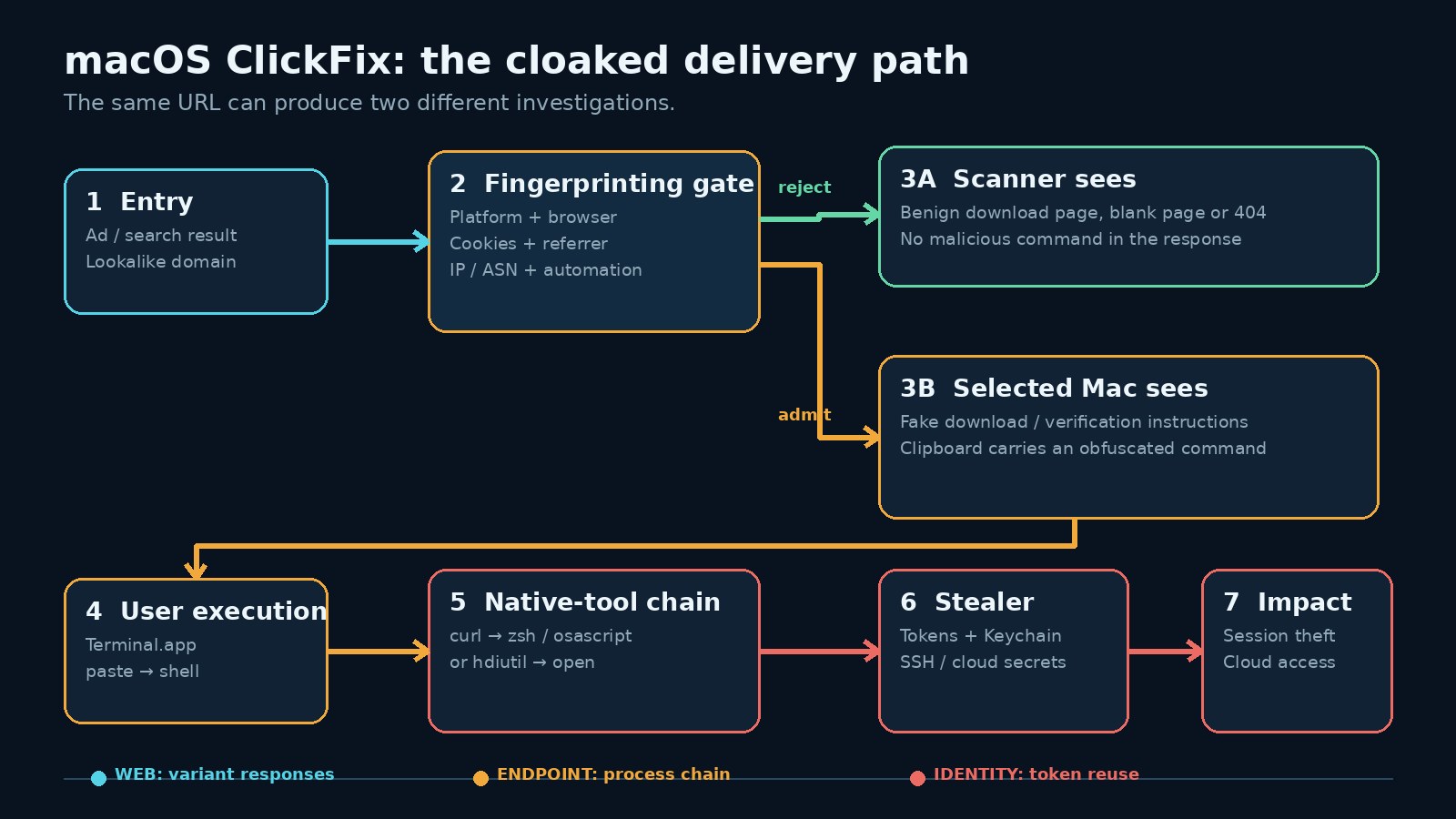
That mismatch is the important part of Microsoft Threat Intelligence’s August 5 analysis of a macOS ClickFix operation. The campaign did not merely rotate domains. It changed what evidence existed for each observer. More than 250 lookalike front ends delivered MacSync and Atomic Stealer, while a small browser-fingerprinting gate decided who could see the malicious path.
The operator fixed an intelligence leak
Early versions exposed the paste-to-Terminal instructions, clipboard logic and obfuscated command in the served HTML. That was operationally convenient and strategically careless. Static crawlers could recover the stage-zero content without executing JavaScript. Analysts could cluster pages by strings. A single successful fetch produced evidence.
The later design initially returned an approximately 2.5 KB JavaScript profiler. It measured browser, hardware, runtime and behavioral attributes, then submitted the result for a server-side decision. A qualified macOS browser could receive the ClickFix lure. A crawler, sandbox, unexpected browser, virtual machine or visitor from the wrong context might get a blank page, a parked-looking site, a fake VPN extension or unrelated corporate content.
This is a traffic distribution system used as a counter-intelligence boundary. The attacker is reducing the probability that reconnaissance and victim delivery observe the same application. It is the web equivalent of showing the security guard a clean storeroom while opening a second door for the person carrying the right token.
Cloaking changes what “I checked the URL” means
A URL verdict is now a function, not a constant:
response = f(url, time, IP, ASN, referrer, cookies,
             browser, platform, automation_signals, prior_state)
Change one input and the investigation changes. A cloud scanner presents a datacenter ASN and automation artifacts. An analyst opening the URL from a Windows workstation fails the platform test. A replay omits the cookie set during the advertising redirect. A headless browser executes JavaScript but exposes a contradictory fingerprint. None of those failures prove that the original user saw benign content.
This is why domain reputation alone ages badly against selective delivery. The better collection unit is a session transcript: redirect chain, request headers, cookies, JavaScript execution, response body, screenshots and timing, preserved for each controlled persona. That same evidence discipline applies to broader defensive OSINT work. The target is not just an asset. It is the conditions under which the asset reveals a behavior.
A safe lab model of the gate
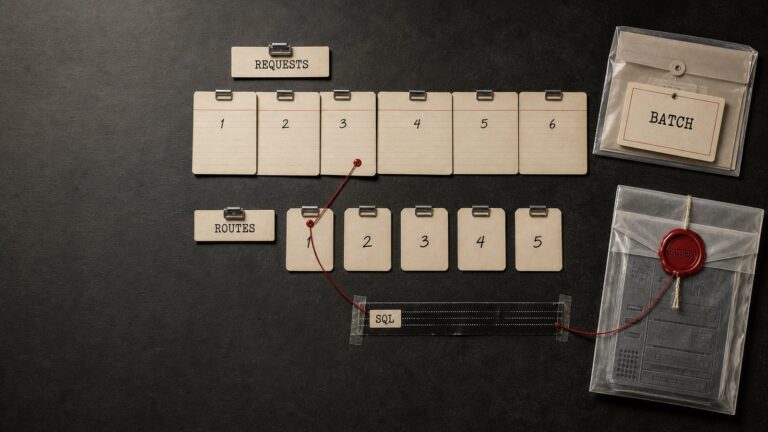
I reproduced the decision mechanic locally with inert request profiles. The lab does not copy a real campaign, download a payload or execute a command. It returns one of two harmless labels. The point is to test the defender’s assumption that one request represents the site.
def route(profile):
    ua = profile.user_agent.lower()
    likely_mac = "macintosh" in ua or "macos" in profile.platform.lower()
    automated = any(x in ua for x in ("headless", "bot", "crawler"))
    expected_path = profile.cookie and profile.referrer.startswith(
        "https://search.example/"
    )
    return "eligible-lab-page" if likely_mac and not automated \
        and expected_path else "benign-decoy"
Three synthetic requests produced three useful outcomes: a stateful Mac browser reached the eligible lab page; a headless Mac profile received the decoy because of an automation marker; a fresh crawler failed the platform, session and referrer checks. The exercise is simple, but it exposes a collection requirement: test orthogonal variables and retain the deltas. Do not keep refreshing one analyst browser and call that coverage.
For an authorized sinkhole, detonation range or brand-protection investigation, construct a small persona matrix: macOS and Windows; residential and research egress; JavaScript on and off; clean and warmed cookies; direct navigation and captured referrer chain. Stop short of bypassing access controls or interacting with live payloads. The research objective is differential rendering, not infection.
The execution chain still has to touch the host
Cloaking protects delivery infrastructure, not post-click behavior. The selected victim is told to copy an obfuscated command and paste it into Terminal. The campaign can then use native tools such as curl, zsh or osascript. Related June reporting from Palo Alto Networks Unit 42 documented a variant that downloaded a DMG with curl -fsSL, mounted it with hdiutil attach -nobrowse, found an app or package and launched it with open.
The crucial transition is from untrusted web content to a trusted user shell. A conventional app opened through Finder is normally evaluated through macOS controls around signing, notarization and first-open approval. Apple documents those Gatekeeper checks. A shell pipeline is a different execution surface, and a user deliberately pasting it supplies both context and intent that file-centric controls often expect to infer.
Apple has added friction at exactly that boundary. On macOS 26.4 or later, Terminal and script protections can warn when a user who does not regularly use Terminal pastes a suspicious command from a website, chat, email or messaging application. Known malicious commands and scripts can be blocked. Apple’s June 15 support guidance is explicit that users should not proceed unless they understand the command and trust its origin. That control is valuable, but “Paste Anyway” remains a human decision, so enterprise detection cannot end there.
Hunt the sequence, not the campaign name
The most durable analytic is a short-window sequence: interactive Terminal activity, a network-capable native utility, decoding or script execution, a transient path, then credential access or outbound transfer. MITRE now models this as T1204.004, Malicious Copy and Paste, with a macOS detection pattern that correlates Terminal or iTerm with shell, Python, Base64, downloads, writes under /tmp or ~/Library, and network connections.
DeviceProcessEvents
| where OSPlatform == "macOS"
| where FileName in~ ("curl", "zsh", "bash", "osascript", "hdiutil", "open")
| where InitiatingProcessFileName in~ ("Terminal", "iTerm2", "zsh", "bash")
| where ProcessCommandLine has_any (
    "base64", "osascript", "-nobrowse", "/tmp/", "| zsh", "| bash"
)
| project Timestamp, DeviceName, AccountName,
          InitiatingProcessFileName, FileName, ProcessCommandLine
Tune against development workflows instead of weakening the rule globally. Package-manager ancestry, signed internal scripts, known repositories and managed automation are useful suppressors. “Developers use curl” is not a suppression strategy. A browser-active session followed by first-time Terminal use, an opaque command and immediate egress deserves a higher score than any token alone.
After a stealer executes, the incident is no longer only an endpoint problem. Browser cookies, Keychain material, SSH keys and cloud credentials can turn a single Mac into a production access path. Developer workstations often hold the same kind of durable authority discussed in agentic development workflow failures: repository access, automation tokens and trust inherited from logged-in sessions. Containment must include token revocation, session invalidation, key rotation and cloud audit review.
Detection opportunities created by the gate
Cloaking removes easy content indicators, but it creates consistency problems of its own.
- Response variance: the same path returns materially different bodies by platform, session state or egress profile.
- Profiler artifacts: a small bootstrap script performs disproportionate environment collection before useful content appears.
- Infrastructure regularity: Microsoft observed dictionary-like domains, often containing the token
file, plus shared staging patterns. Treat these as clustering pivots, not blocking signatures. - Behavioral choke points: Terminal-to-network and
hdiutil-to-openchains remain visible even when the lure does not. - Identity aftermath: session reuse and cloud sign-ins can expose compromise after local staging is deleted.
The operating lesson resembles a mature web-shell hunt: infrastructure indicators help with scope, but process and access patterns survive domain rotation. Capture the path across web, endpoint and identity telemetry. No single layer has the whole incident.
Strategic takeaways
First, validate exposure with multiple controlled personas. A blank page is an observation, not a verdict. Second, put friction at the browser-to-terminal boundary and measure whether it fires on managed Macs. Third, treat developer endpoints according to the credentials they can reach, not the operating system stereotype attached to them.
The attacker in this campaign noticed that the lure was telling researchers too much and moved the decision behind a gate. Defenders should make the opposite move: collect enough independent evidence that no single tailored response can end the investigation.
💜 Enjoyed this content? Support the blog with USDT (TRC20):
TX7obcjHQbDUXb4mGqoASEu1QFTKT2CFGG